> ## Documentation Index
> Fetch the complete documentation index at: https://docs.mythex.ai/llms.txt
> Use this file to discover all available pages before exploring further.
# Generate images
> Ask Mythex for a picture and it makes one — hero art, backgrounds, og:images, illustrations — then places it in your app when you want it there.
# Generate images
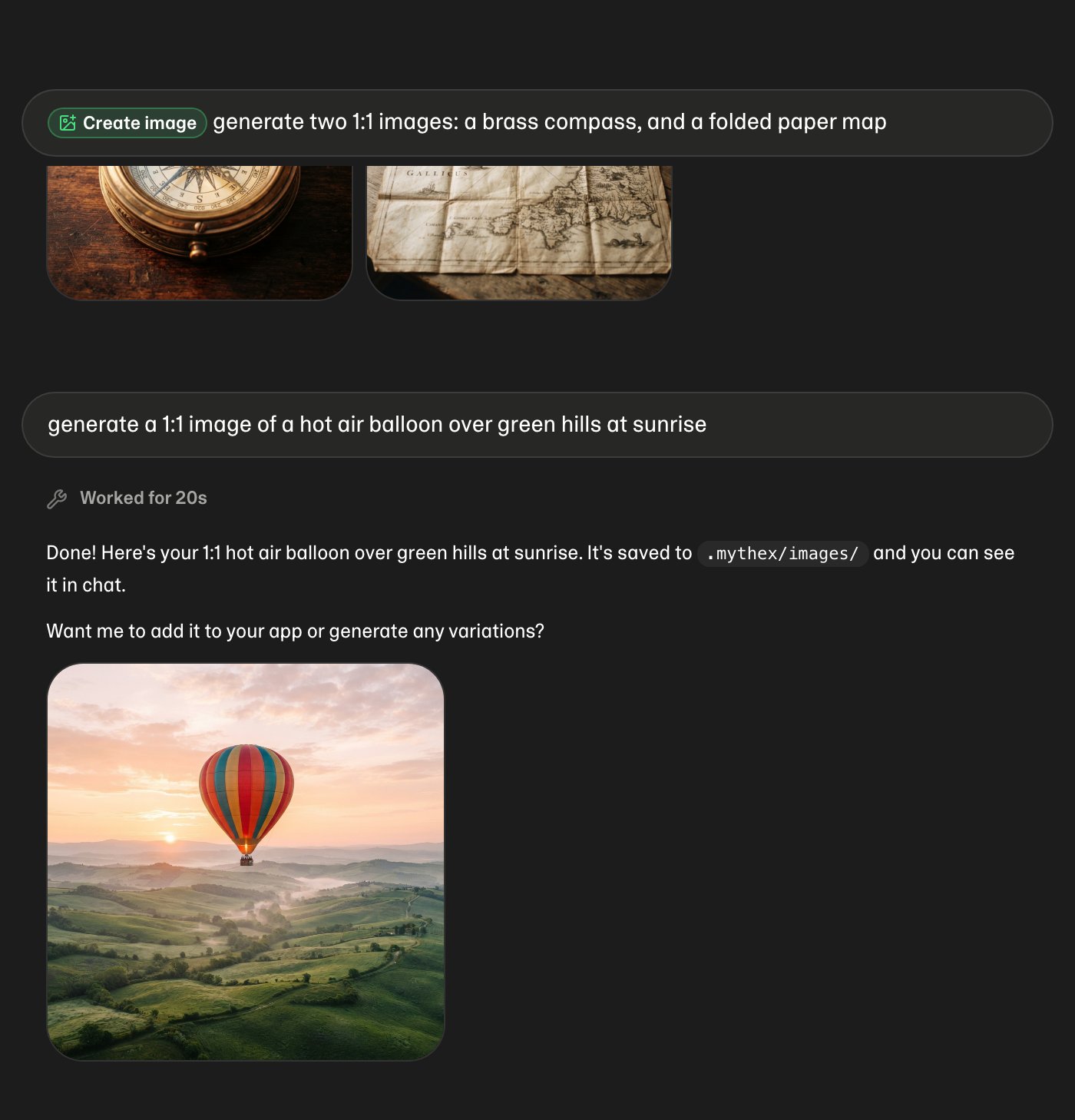
Ask for a picture in plain language and Mythex makes one. It appears in chat as it is drawn, and stays there whether or not it ever goes into your app.
 ## Ask for one
In the project workspace chat, just say what you want:
* “generate an image of a mountain lake at sunrise”
* “make a hero image for the landing page — a ceramic mug on a wooden desk”
* “I need an og:image with the words Ship Faster on it”
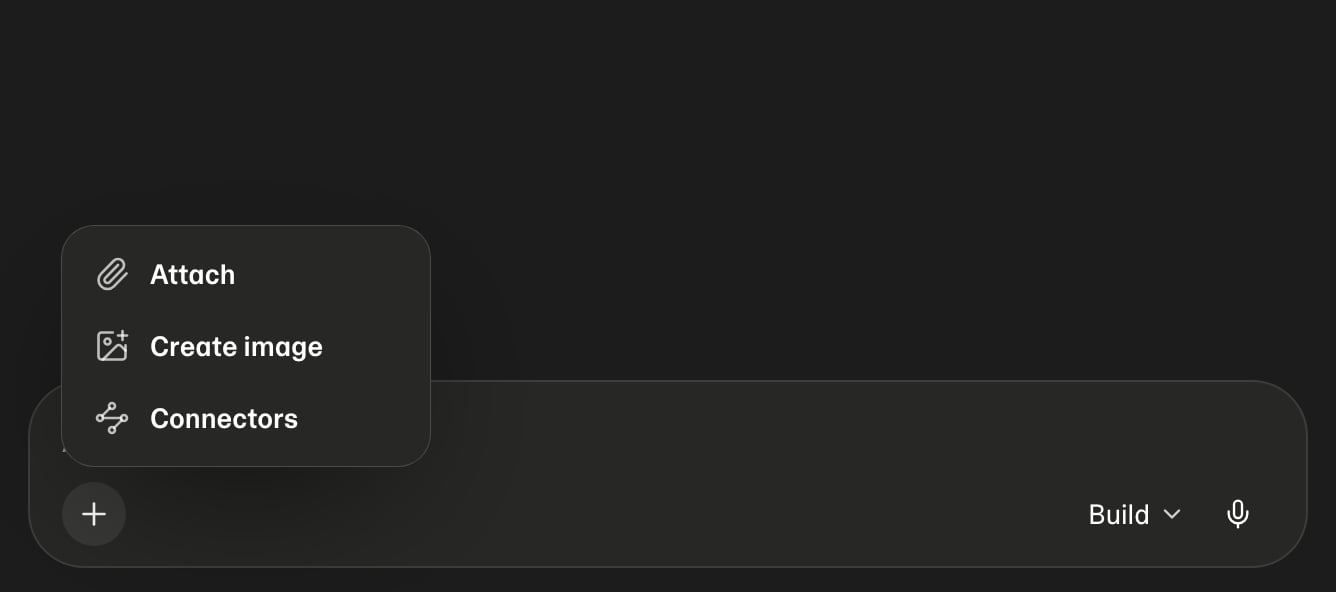
Or use the **Create image** command: type `/image`, or open the **+** menu next to the composer and pick it. Either arms the command, then you describe the picture.
## Ask for one
In the project workspace chat, just say what you want:
* “generate an image of a mountain lake at sunrise”
* “make a hero image for the landing page — a ceramic mug on a wooden desk”
* “I need an og:image with the words Ship Faster on it”
Or use the **Create image** command: type `/image`, or open the **+** menu next to the composer and pick it. Either arms the command, then you describe the picture.
 ## Generating, then generated
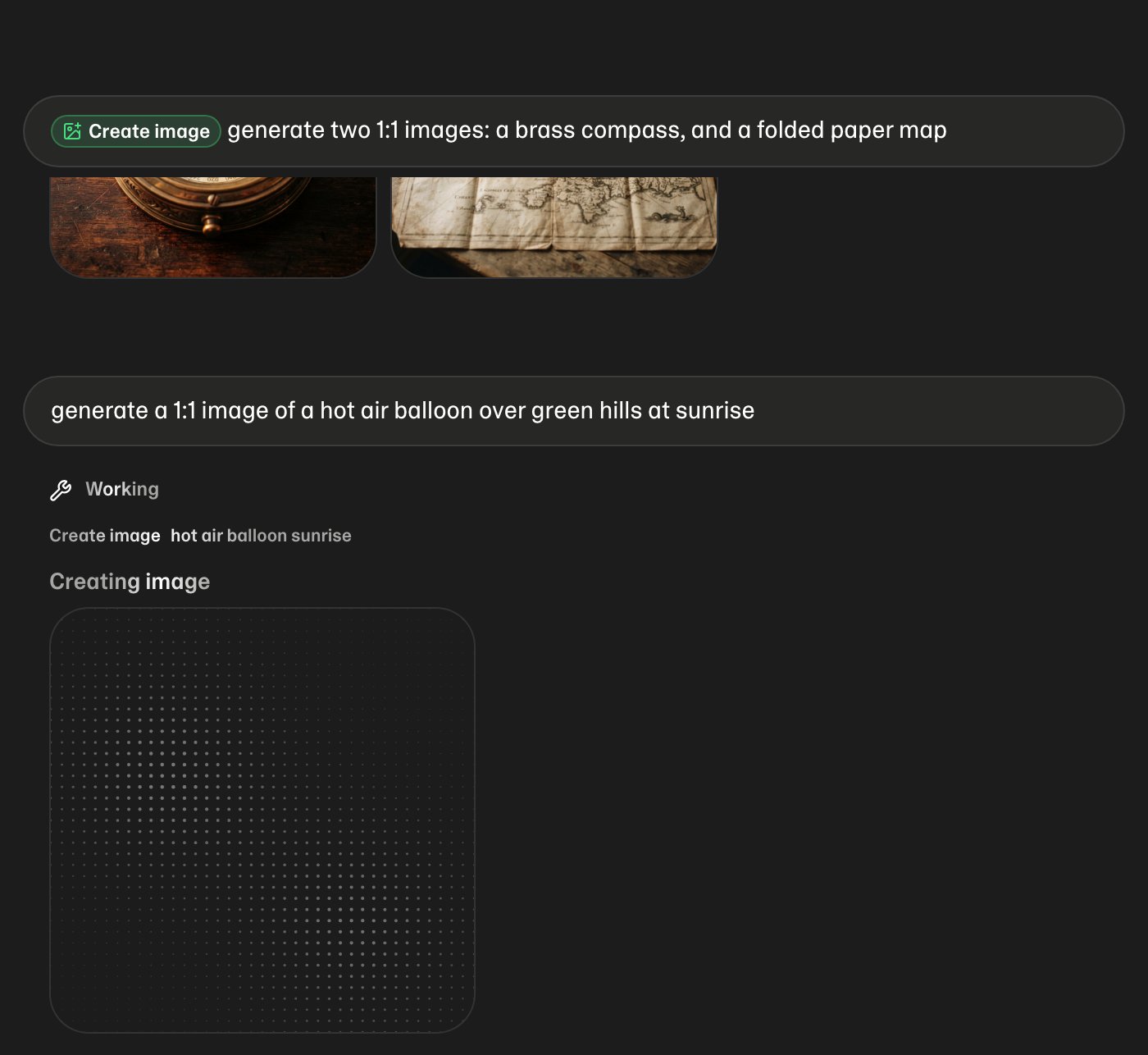
While the picture is being drawn you get a placeholder in its final shape, filling in as it goes. It never moves: the image replaces the placeholder exactly where it sits.
## Generating, then generated
While the picture is being drawn you get a placeholder in its final shape, filling in as it goes. It never moves: the image replaces the placeholder exactly where it sits.
 Click any generated image to open it full size.
## Asking for several
Ask for more than one and they come back as a row you can scroll, rather than a stack you have to scroll past.
Click any generated image to open it full size.
## Asking for several
Ask for more than one and they come back as a row you can scroll, rather than a stack you have to scroll past.
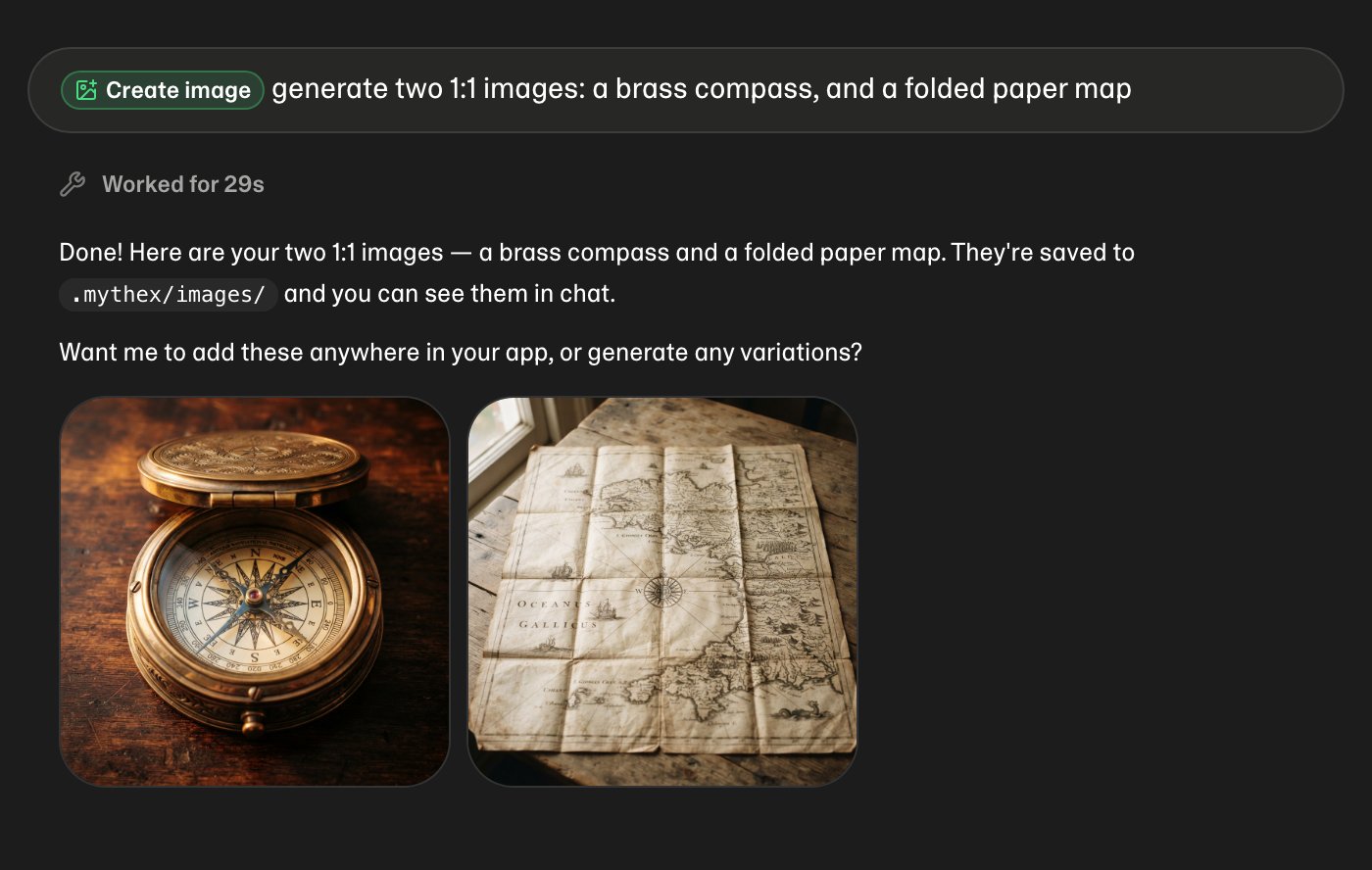 Mythex will make up to **eight images in one message**. Past that it stops and asks, so a misunderstanding cannot quietly spend your credits.
## Where the files go
Generated images are saved to `.mythex/images/` in your project — alongside plans, separate from your app's own source. Asking for a picture does not change your app.
When you want one *in* the app, say so:
* “put that on the homepage”
* “use it as the hero image”
* “add it to the About section”
Mythex then copies it to wherever your project serves static files from — `public/` for Vite, Next or Remix, `static/` for Django or SvelteKit, `src/main/resources/static/` for Spring Boot — and wires it into the page. It works this out from your project rather than assuming, so the same request works whatever you built with.
## Editing a picture
You can change one you already have, rather than starting over:
* “take that trail sign image and carve ‘Hello World’ into it”
* “make the lighthouse image a daytime scene”
* Attach your own photo and ask for an edit
The original stays as it was; the edit is saved as a new image.
## Quality and shape
By default Mythex uses the fast model, which takes about eight seconds and suits nearly everything. Ask for better when the picture is a centrepiece — “make it high quality” — and it will use a slower, more detailed model.
Shape comes from what you ask for, or from where it is going:
| Ask for | You get |
| ------------------------------ | ------- |
| “16:9”, hero, banner, og:image | Wide |
| “square”, “1:1”, avatar, tile | Square |
| “9:16”, phone splash | Tall |
## Stock photos instead
For ordinary real-world photography — a person at a laptop, a plate of food, a city street — Mythex searches Unsplash and Pexels instead. That is free, instant, and usually better than a generated substitute. It shows you what it found under the search in chat.
Generation is for what stock cannot give you: a specific scene, art in your app's own style, a graphic with your words in it.
## What it costs
Each generated image costs credits — roughly **0.7 credits** for a standard one, more for larger or higher-quality renders. A stock photo search costs nothing.
Mythex is deliberately sparing: a grid of twelve cards takes one generated image used twelve ways, not twelve generations. If an image fails, you are not charged for it.
See [Credits](/billing/credits) for how credits work.
## Limits
* Output is always JPEG
* Logos come back as a drawn mark plus real text, not generated lettering — generated type is unreliable at small sizes
* Up to eight images per message
## Related
* [Chat](/features/chat) — commands, modes, and attachments
* [Credits](/billing/credits) — what things cost
* [Preview & Code](/features/preview-and-code) — seeing the image in your app
Mythex will make up to **eight images in one message**. Past that it stops and asks, so a misunderstanding cannot quietly spend your credits.
## Where the files go
Generated images are saved to `.mythex/images/` in your project — alongside plans, separate from your app's own source. Asking for a picture does not change your app.
When you want one *in* the app, say so:
* “put that on the homepage”
* “use it as the hero image”
* “add it to the About section”
Mythex then copies it to wherever your project serves static files from — `public/` for Vite, Next or Remix, `static/` for Django or SvelteKit, `src/main/resources/static/` for Spring Boot — and wires it into the page. It works this out from your project rather than assuming, so the same request works whatever you built with.
## Editing a picture
You can change one you already have, rather than starting over:
* “take that trail sign image and carve ‘Hello World’ into it”
* “make the lighthouse image a daytime scene”
* Attach your own photo and ask for an edit
The original stays as it was; the edit is saved as a new image.
## Quality and shape
By default Mythex uses the fast model, which takes about eight seconds and suits nearly everything. Ask for better when the picture is a centrepiece — “make it high quality” — and it will use a slower, more detailed model.
Shape comes from what you ask for, or from where it is going:
| Ask for | You get |
| ------------------------------ | ------- |
| “16:9”, hero, banner, og:image | Wide |
| “square”, “1:1”, avatar, tile | Square |
| “9:16”, phone splash | Tall |
## Stock photos instead
For ordinary real-world photography — a person at a laptop, a plate of food, a city street — Mythex searches Unsplash and Pexels instead. That is free, instant, and usually better than a generated substitute. It shows you what it found under the search in chat.
Generation is for what stock cannot give you: a specific scene, art in your app's own style, a graphic with your words in it.
## What it costs
Each generated image costs credits — roughly **0.7 credits** for a standard one, more for larger or higher-quality renders. A stock photo search costs nothing.
Mythex is deliberately sparing: a grid of twelve cards takes one generated image used twelve ways, not twelve generations. If an image fails, you are not charged for it.
See [Credits](/billing/credits) for how credits work.
## Limits
* Output is always JPEG
* Logos come back as a drawn mark plus real text, not generated lettering — generated type is unreliable at small sizes
* Up to eight images per message
## Related
* [Chat](/features/chat) — commands, modes, and attachments
* [Credits](/billing/credits) — what things cost
* [Preview & Code](/features/preview-and-code) — seeing the image in your app