

Credits FAQ
What are credits?
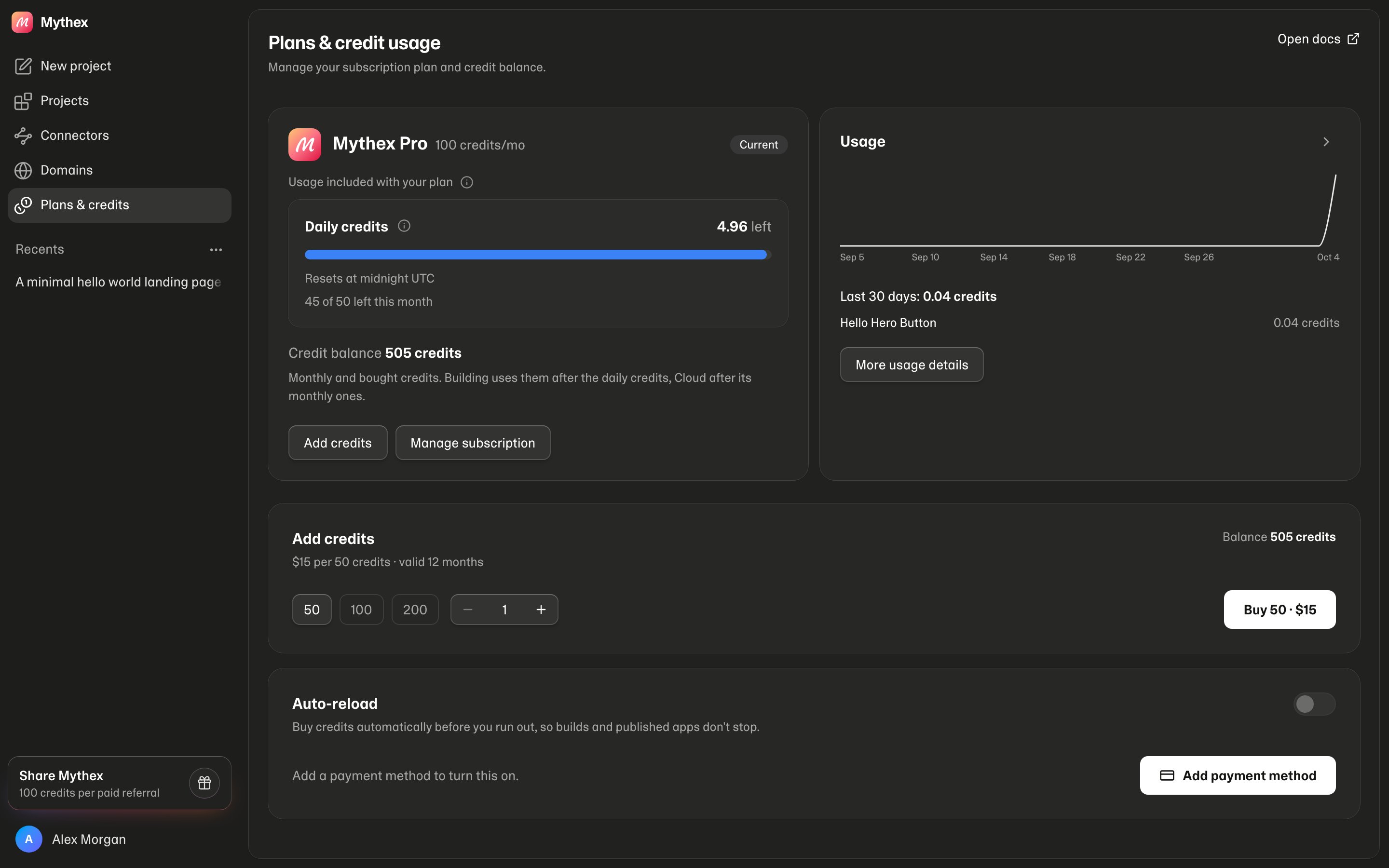
Credits split into two kinds. Build powers the AI builder (chat, web searches, images) and the preview/workspace sandbox — paid from daily credits, then the monthly pool. Cloud powers published-app hosting, bandwidth, databases and file storage — paid first from monthly Cloud credits (Free 10/mo; Pro, Business and Enterprise a fifth of the monthly credits, 20/mo at 100; reset on the 1st UTC, no rollover). See Credits for the full breakdown.Free, Pro, Business and Enterprise
- Free — 10 Build credits on your first day, then 5/day (up to 30/mo) and 10 Cloud credits/mo; no top-ups
- Pro, Business and Enterprise — the monthly credits of the tier you pick (100 to 10,000; Enterprise from 800) + 5/day (up to 50/mo extra) for Build, and Cloud credits worth a fifth of the tier; can buy 50 credits for $15, by hand or automatically; pay half the Free rate on hosting, bandwidth, databases and file storage, and nothing for the preview (AI costs the same on every plan). A credit costs $0.25 on every plan (a little less on big tiers); Business adds $25/mo for team controls and Enterprise $480/mo for governance — see Plans
Do unused daily credits expire?
Yes. Unused Free 5/day and paid-plan 5/day expire at midnight UTC. Daily credits are granted when you open Mythex that day — skipped days are not granted later. On Free, every finished day counts in full toward the 30/mo (used or not), so daily credits come on five days a month: 10 on the first, then 5. On paid plans only used daily credits count toward the 50/mo. Monthly plan credits don’t expire overnight.What happens when I run out?
Build and Cloud run out independently. When Build credits run out, building pauses with a nudge above chat; Free users can upgrade or wait for the daily grant, Pro, Business and Enterprise users can top up or switch on auto-reload so it doesn’t happen at all. Projects and Preview stay intact. When Cloud credits run out, Pro, Business and Enterprise keep the app running from monthly credits/top-ups, but Free’s LIVE published apps pause until Cloud credits reset on the 1st or you upgrade (databases, files and URLs are kept).Can credits top up automatically?
Yes, on Pro, Business and Enterprise. Auto-reload buys a pack when your balance drops below a point you choose, charging whatever payment method is default in Stripe — no second card to enter.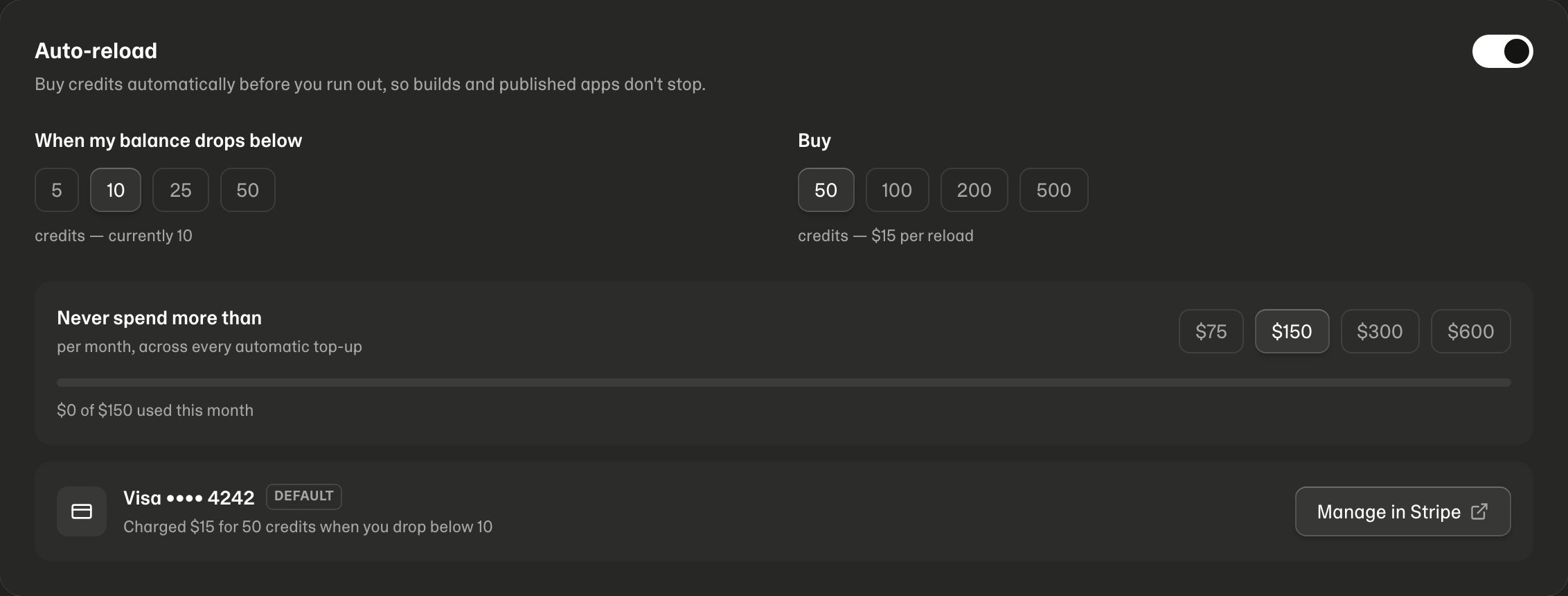
Do I get an email when credits refresh?
Yes, on Free, if you actually used yesterday’s credits. The morning email says today’s 10 are ready. We skip it if you still had most of the unused 10, if you already opened Mythex today, or if you’ve hit the 30/mo cap. Unsubscribe from the email footer. We also email you when a published app pauses (credits ran out) and when it comes back online.What happens to leftover credits if I cancel?
If you paid, they stay. The plan becomes Free at period end, but a paid balance is not wiped — you can keep spending leftover credits. Paid features lock. If you were on a free trial and never paid, unused trial credits are removed when the trial ends (cancel is at period end, so they stay until that date). Credits you already spent stay spent.Is there a free trial?
No. The Free plan is free for as long as you like — 10 Build credits on your first day, then 5/day (up to 30/mo). Trials started before the trial ended run to their end date: cancel before then to avoid the first charge; when the first payment collects, leftover trial credits are removed and 100 paid credits are added.Who pays in a shared workspace?
The workspace owner. Everything spent in a workspace comes out of the owner’s credits, whoever is building. Admins can see who spent what and, on Business and Enterprise, set a monthly credit limit per member. See Workspaces and teams.Where do I see remaining credits?
Open Plans & credit usage (/billing). Full history: Usage.