
Unpublish & republish
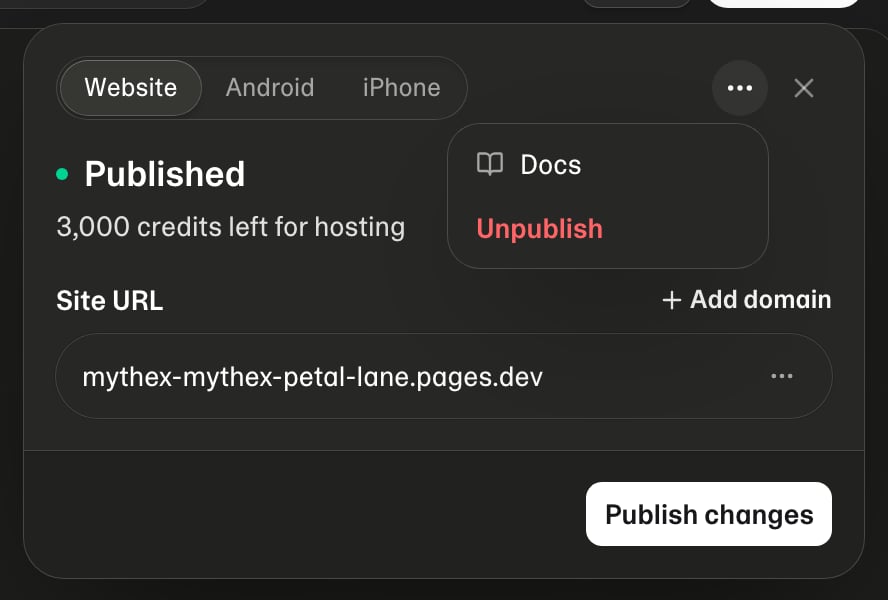
Published app — More menu with Unpublish

Unpublish

When an app is live, open Publish in the workspace:
  1. Open the More (⋯) menu on the published app
  2. Choose Unpublish and confirm
The public URL stops serving the app. Project files stay in Mythex — only the live deployment is removed.

Republish / update

After you change the project:
  1. Confirm Preview looks right
  2. Open Publish and deploy again
  3. Hard-refresh the public URL if you briefly see a cached old version

Credits

Unpublishing frees that live slot toward plan publish limits. Runtime credits are used while apps are hosted and (when attached) for databases — see Hosting limits and Credits.