

MCP — build from Claude, Codex, or Cursor
Mythex exposes a remote MCP server. External agents (Claude, Cursor, Codex) code in your cloud sandbox; Mythex provides the VM, preview, and publish.The simple flow (recommended)
-
Copy your MCP URL. It is in two places, whichever you reach first:
- Account settings → MCP / Claude
- Connectors (left sidebar) → Custom MCP, at the foot of the panel
https://mcp.mythex.ai/mcp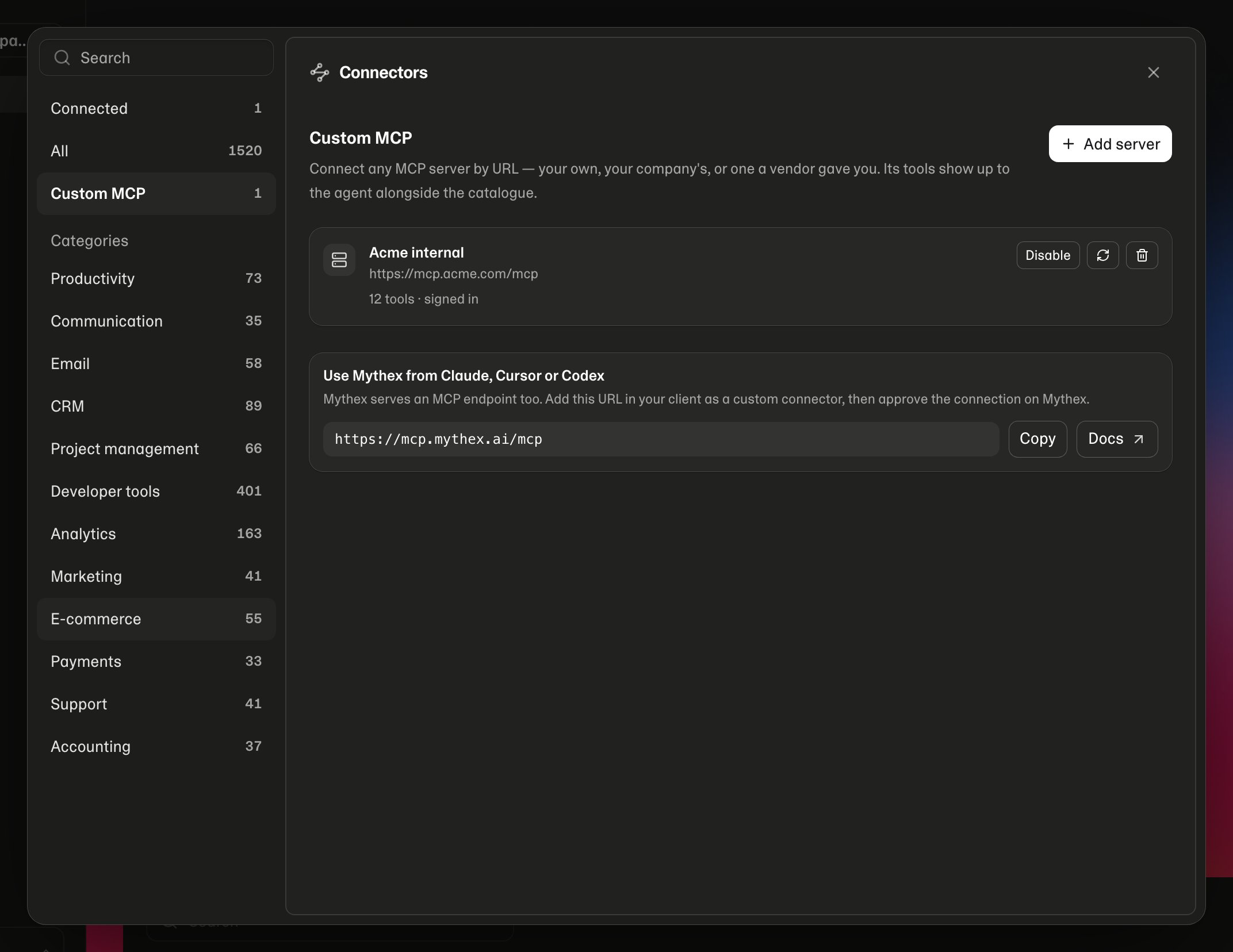
- In the client, add that URL as a custom MCP / connector
- Click Connect
-
Your browser opens Mythex
/mcp/consent— sign in if needed, then Allow access or Deny - You’re done. Chat in Claude/Cursor and build
Claude
Settings → Connectors → Add custom connector → paste MCP URL → Connect → approve on Mythex.Cursor
Add the server with only the URL (Settings → MCP, or.cursor/mcp.json):
Requirements for tools
- Pro plan (Connect works without it; tools return an upgrade error)
- Credits on your balance (empty balance → sandbox wake refused / sandboxes pause)
What the client can do
- Create / open projects and wake sandboxes
- Read, write, edit, search files; run
bash - Preview via
set_run_config/ start / logs - Env keys (set secrets you provide — values are not listed back)
- Database, storage, publish, checkpoints
- Browser run, web/media helpers, export/import, GitHub, domains
workspace_url (https://mythex.ai/p/{id}?from=mcp). Open it to watch the live preview and progress in Mythex while the client works in Cursor/Claude.
If you run out of credits (or need Pro), the tool returns an upgrade_url and Cursor shows a Mythex panel in chat (pricing / credits) — the same idea as inline image and video previews. Open the URL if you want checkout in the browser.
Preview tools (set_run_config, start_preview, get_preview) return preview_url for the in-chat live iframe. browser_run attaches Playwright screenshot() PNGs as images in chat (Claude/Cursor can display them).
What stays private
- Mythex agent system prompts and internals
- Platform secrets and other users’ projects
- Raw secret values via
list_env_keys(keys only)
Credits
- The external model is billed by that provider (Claude / Cursor / etc.)
- Mythex credits pay for live sandbox time and published hosting
- Empty balance → sandbox wake refused / sandboxes pause