
iPhone & App Store

iPhone builds are signed with your Apple developer account (an Apple Developer Program membership is required) and uploaded to your TestFlight.

Connect App Store Connect

The first time you ask for an iPhone build, the agent pauses and shows Connect App Store above the message box:
  1. In App Store Connect → Users and Access → Integrations → App Store Connect API, create a Team key with the Admin role (Mythex registers the app’s ID and signs builds with it).
  2. Download the .p8 file (Apple lets you download it once).
  3. Drop it in the panel and paste the Issuer ID shown above the keys list. The Key ID is read from the file name.
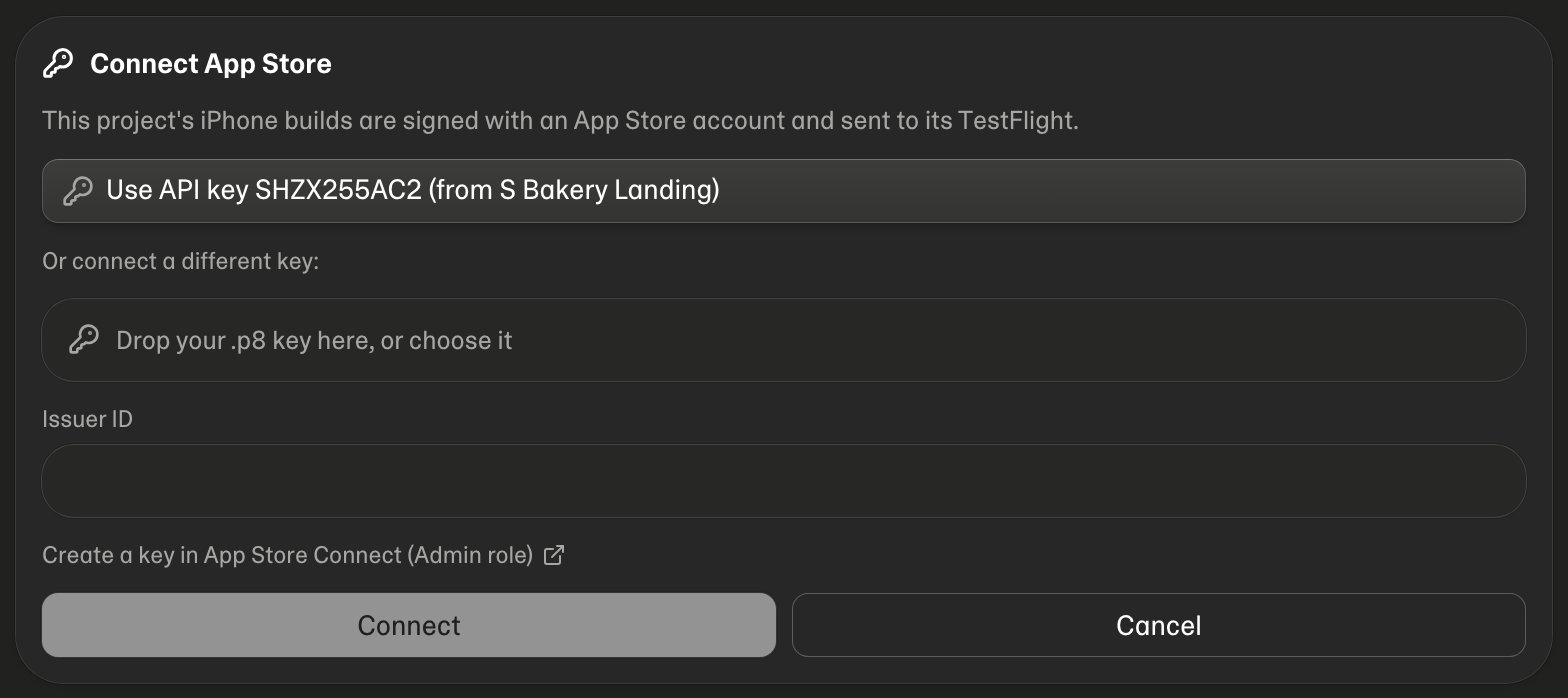
The Connect App Store panel Mythex checks the key with Apple before saving it. You can also connect it in Project settings → Mobile app, or reuse a key you connected to another of your projects.

Create the app (once)

Apple doesn’t let anything outside App Store Connect create apps. On the first build the card says Create the app in App Store with the exact name and Bundle ID to use: Apps → + → New App, then ask the agent to build again.

In TestFlight

When the card says In TestFlight, Apple processes the build for 10–30 minutes; then your TestFlight testers can install it. To send it for App Store review, ask the agent — it attaches the build, fills in what it can, and asks you before submitting. App Privacy is only on the App Store Connect website; the agent tells you what to answer.

When something stops it

Remove access

Disconnect in Project settings → Mobile app, and revoke the key in App Store Connect to cut access completely.