

Custom domains
Pro can serve a published app on your own domain (for exampleapp.example.com) instead of only its Mythex address ({slug}.mythex.app, or {slug}.mythex.ai for apps first published there).
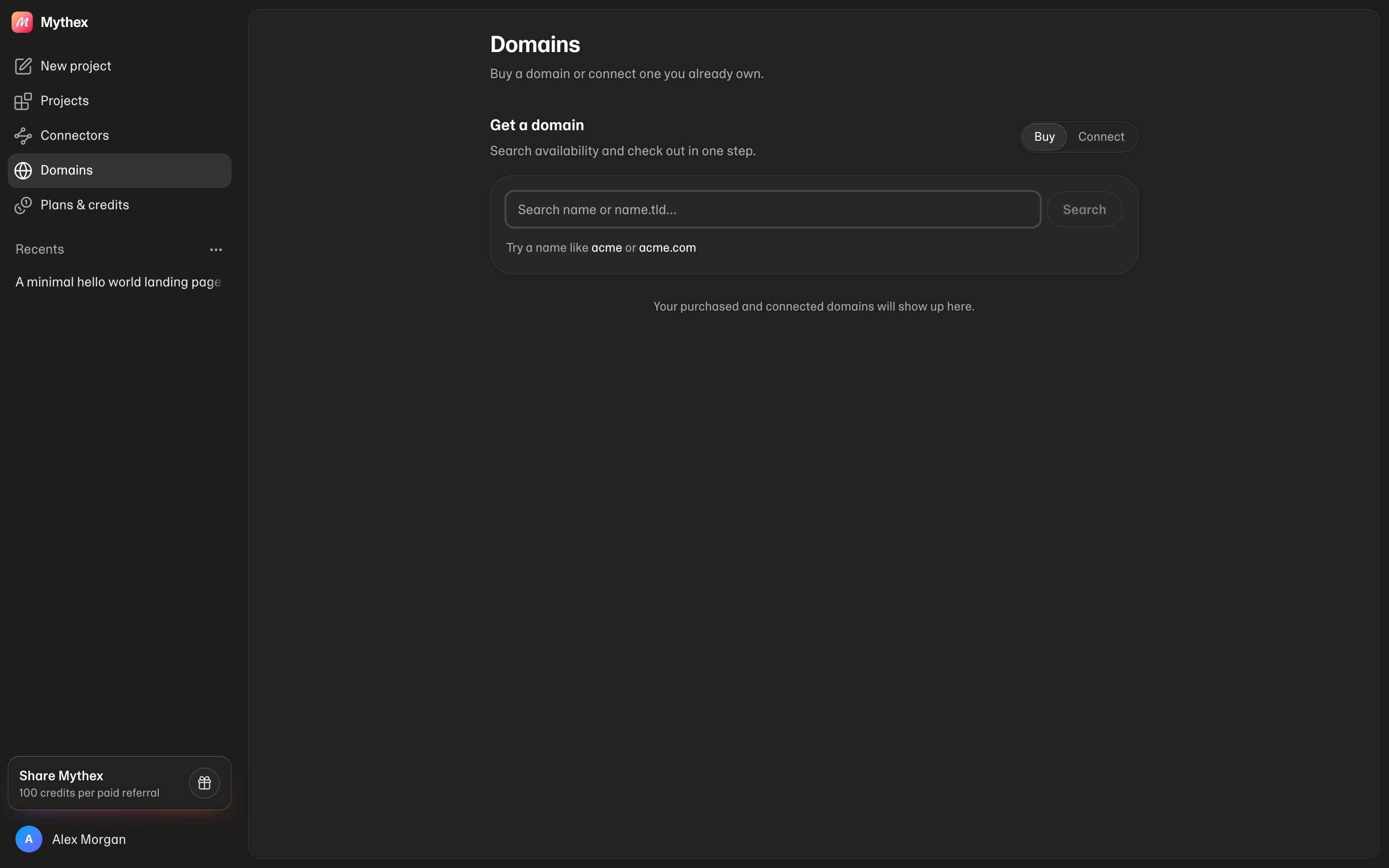
Domains hub
Manage domains at Domains (/settings/domains):
- Buy / Connect pill — search and buy a name, or connect a hostname you already own
- Each row — Open, connect to a project, Verify DNS (BYO), ⋯ for Configure, auto-renew, primary, disconnect, Transfer out
- Transferred out — reopen the auth code if you already unlocked a domain
Buy a domain (Pro)
From Domains (/settings/domains):
- Choose Buy
- Search for a name, pick an available result, optionally choose a project to connect (or Buy only — connect later)
- Check out (Stripe) — Mythex registers the domain
- Connect / disconnect a project
- Set primary when several domains share one project
- Configure — DNS editor, nameservers, WHOIS privacy, auto-renew
- Transfer out (Mythex-bought) — unlock + auth code
- Verify DNS for BYO domains after you add the CNAME
Renewal
A domain bought through Mythex is registered for a year, and auto-renew is on by default. About 45 days before it expires, the card you bought it with is charged the renewal price shown on the Domains page (the registrar’s price plus a small fee), and the domain is renewed for another year. You get an email receipt.- If the card is declined or there is none on file, the domain shows a warning and a Renew now button, and you get an email. Renew by then or the domain expires.
- Turn auto-renew off from ⋯ on the Domains page. If this year’s renewal was already paid and hasn’t gone through yet, it is refunded.
- Transferring a domain out also refunds a paid renewal that hasn’t gone through.
Configure a bought domain
From Domains → ⋯ → Configure:- DNS records — add or delete
A,AAAA,CNAME,MX,TXT, andSRV(e.g. email or Google verification). Records Mythex uses for your site are locked. - Nameservers — Cloudflare nameservers (read-only). Domains bought through Mythex stay on Cloudflare DNS; to use other nameservers, Transfer out first.
- WHOIS privacy — available for domains registered through Mythex.
- Primary — when several custom domains are on one project, set which hostname is primary.
Connect a domain you already own
- Publish the project
- On Domains, choose Connect (or Publish → Custom domain → Connect existing on that project)
- Enter your hostname (e.g.
app.example.com) and pick the project - At your DNS provider, create a CNAME from that hostname to the target Mythex shows (
{slug}.mythex.ai, or{slug}-staging.mythex.aion staging — on.aieven when the app itself lives at{slug}.mythex.app) — DNS only if your DNS is also on Cloudflare - Click Verify
Requirements
- A paid plan: Pro, Business or Enterprise
- Project published and live (to serve traffic on the domain)
- For connect-existing: ability to edit DNS for your domain
Troubleshooting
DNS not ready / still pending
CNAME propagation can take a few minutes (sometimes longer with your DNS provider). Recheck Verify. Confirm the record is a CNAME (not A) to the exact target Mythex shows.Wrong CNAME target
The CNAME must match the target shown in Publish for this app’s slug ({slug}.mythex.ai, or {slug}-staging.mythex.ai on staging). A typo or pointing at an old slug fails verification.
Cloudflare “DNS only” (gray cloud)
If your DNS is also on Cloudflare, set the CNAME to DNS only (gray cloud), not proxied (orange cloud), so Mythex can issue HTTPS correctly.522 / site won’t load after Verify
DNS can verify before Mythex has finished setting up HTTPS for the domain. Wait a few minutes and click Verify again; if it still fails, contact Support.Still on Free
Custom domains require Pro. Upgrade, then buy or connect the domain again.Apex / root domain
Prefer a subdomain (www or app). Root/apex setup depends on your DNS provider (ALIAS/ANAME or flattening). If unsure, use www and redirect the apex at your DNS provider.