

Dashboard & projects
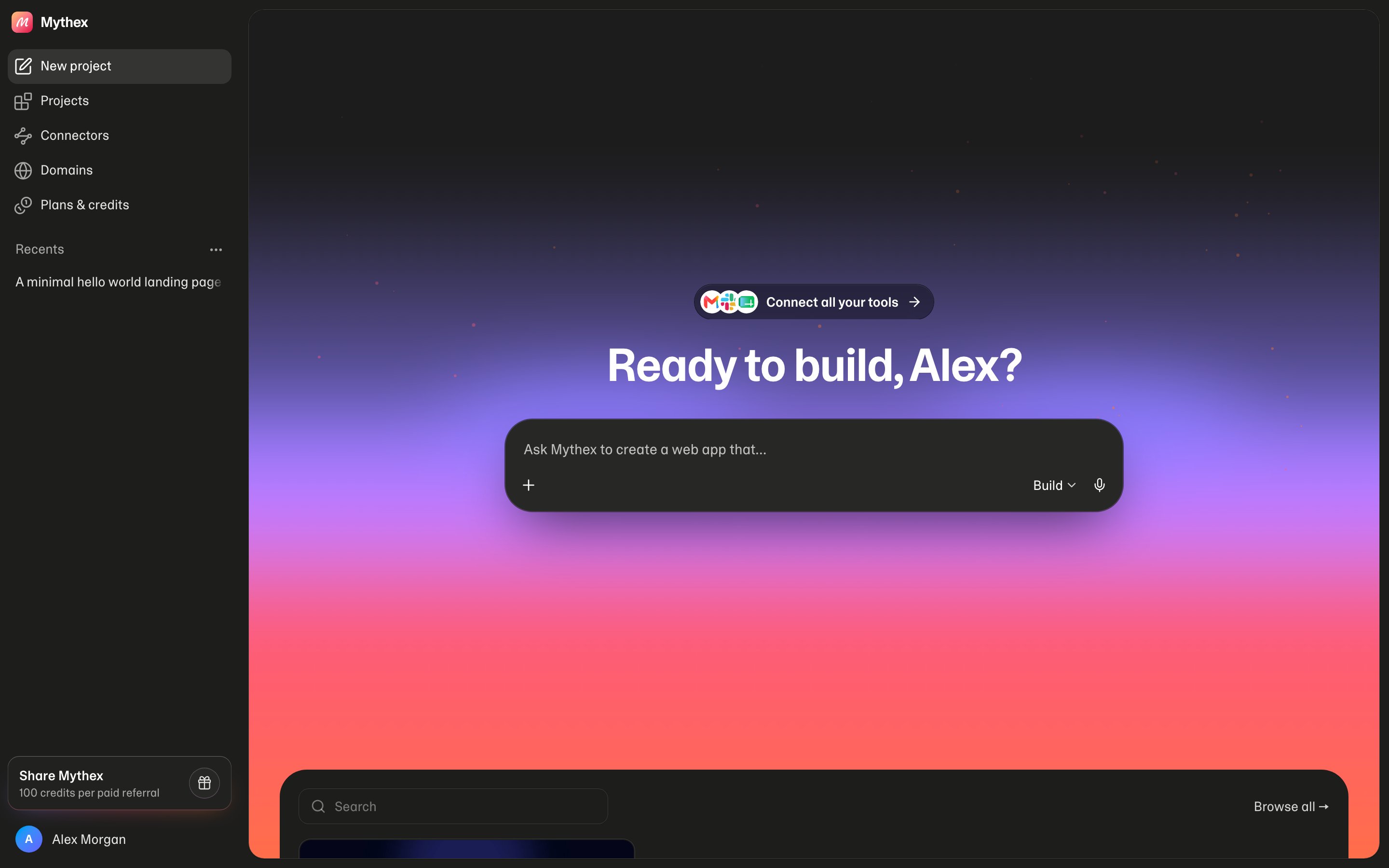
Where things live
Logged-in
/ is the builder home. /home is the marketing site (account menu → Homepage). Guest / is marketing; Log in / Get started can open an auth modal instead of /login.
On a phone the sidebar is a drawer: tap the menu button at the top left, or swipe right from anywhere on the page (in a project, from the chat). See On a phone below.
Start a project
The home composer is Ask Mythex to create…:- Type a prompt, optionally attach files (up to 5 × 10 MB, same as chat)
- Use the microphone or Alt+V — see Voice input
- Choose Build / Plan / Ask (same modes as the workspace)
- Send to create a project and open
/p/:id
Recents on home
Home shows a recent subset, not every project.- Search (and clear) by name
- Browse all → goes to
/dashboard/projects - Click a card to open the workspace
- ⋯ on a card — Rename or Delete
Sidebar
The left sidebar is the same on dashboard, billing, settings, and domains.
Account menu (your avatar): you and your workspace at the top, then your credits (balance and today’s bar), Account settings, Claim offer (Pro at 30% off, Free only), Support, Docs, Homepage, and Sign out.
Workspace menu (click the you-and-your-workspace row; it slides in over the account menu, ‹ Workspaces goes back): the workspace’s name and plan, Invite members, your other workspaces, and New workspace.
On a phone
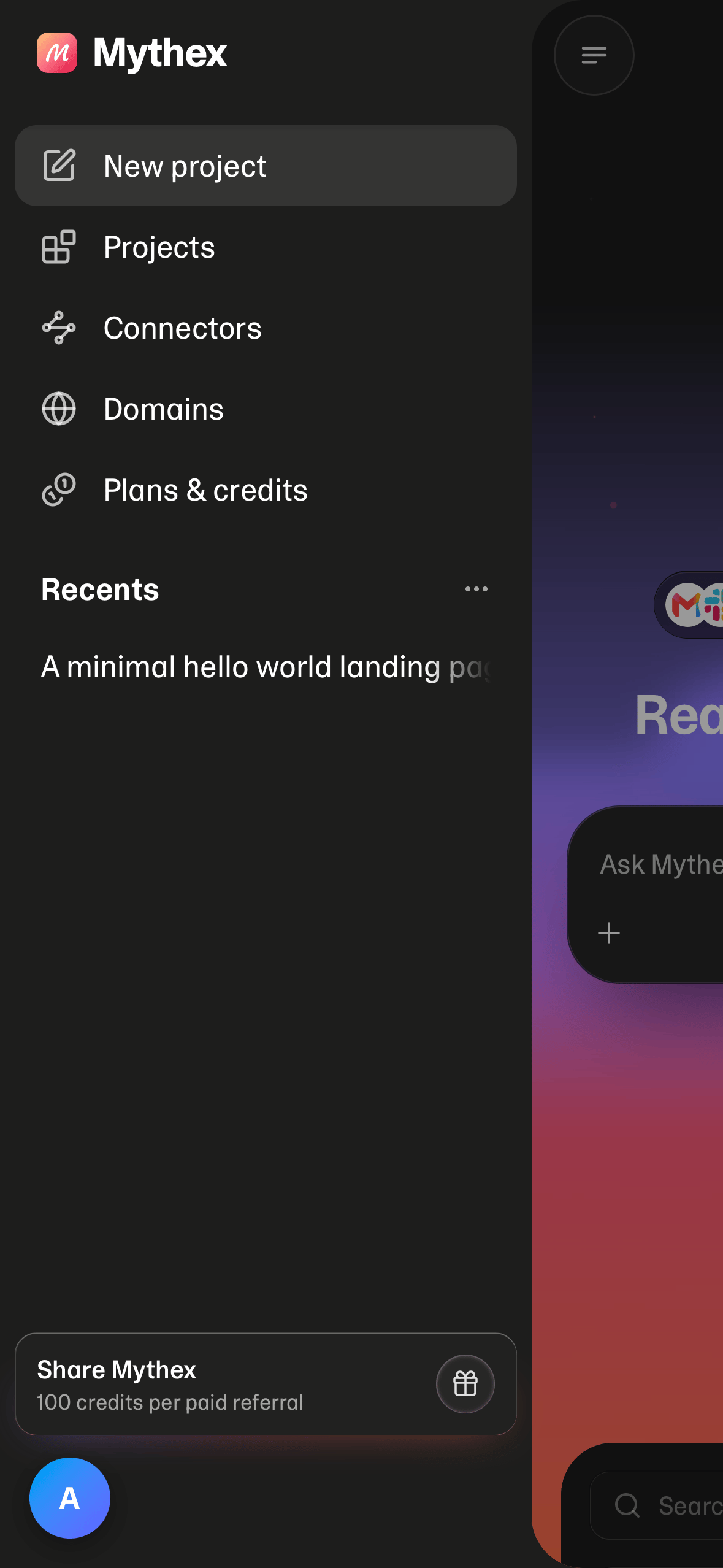
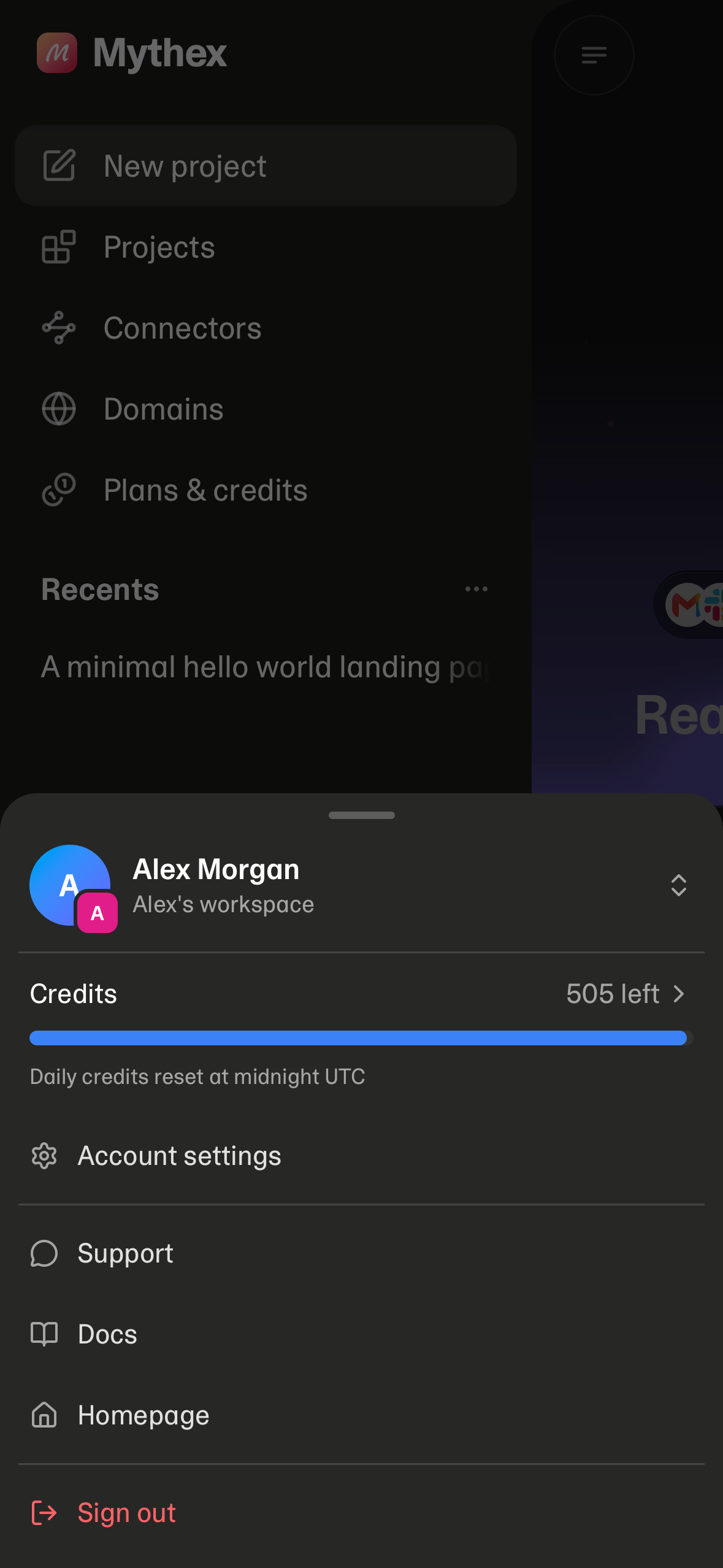
- Open the drawer with the menu button, or swipe right from anywhere on the page (in a project, from the chat — on the preview, a right swipe goes back to the chat); swipe left or tap the page to close it.
- The drawer has New project, Projects, Connectors, Domains, Plans & credits and Recents, with one card at its foot: Start with Pro on Free, Share Mythex on a paid plan (on Free, sharing is in the account menu). Inside a project it also has a New chat button.
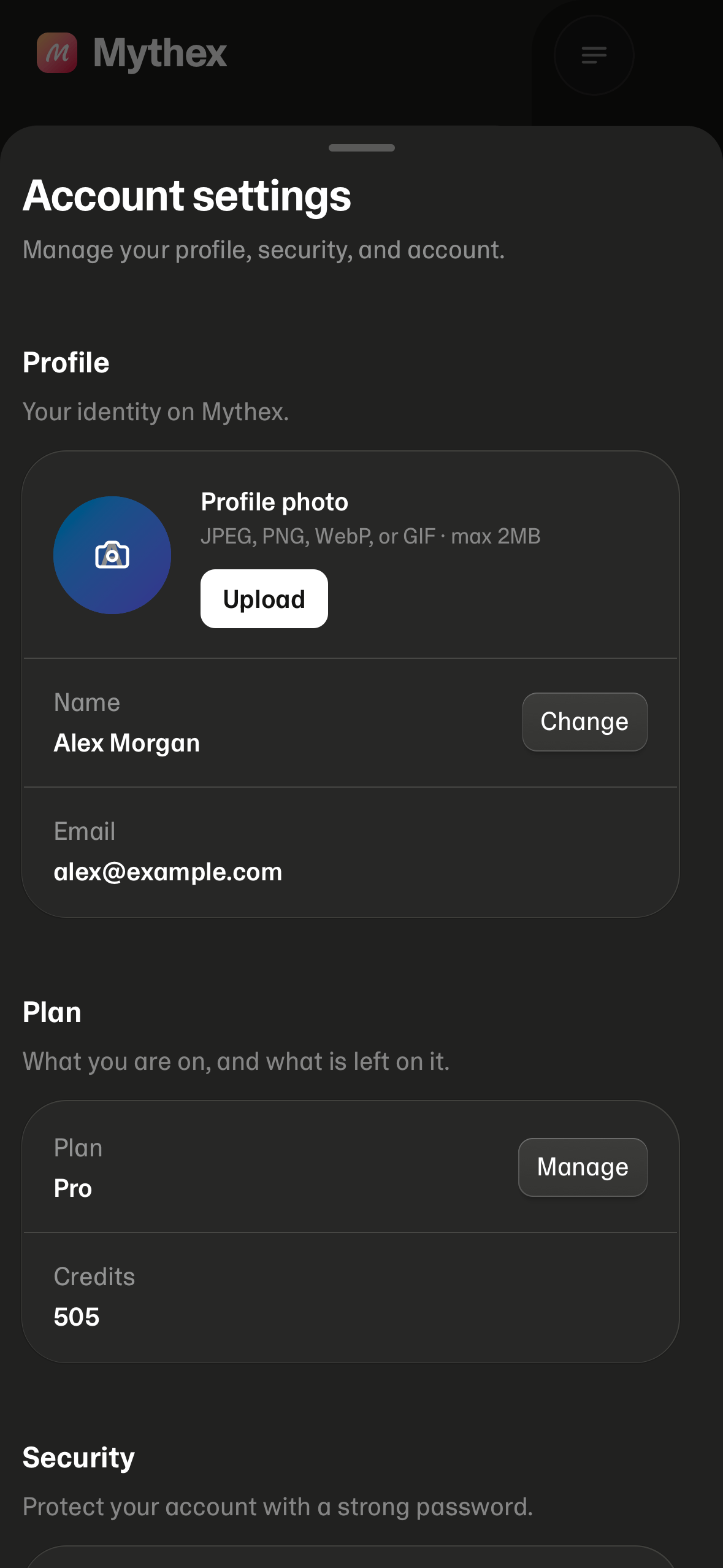
- Projects, Domains, Plans & credits and Account settings open in a sheet over the page you were on, not as a new screen. Swipe it down (or go back) to close it; opening a project from it takes you to the project.
- Your avatar floats at the bottom left. Tap it for the account sheet: you and your workspace at the top (tap that row to switch workspace, invite members, or make a new one), then Credits, Account settings and the rest of the account menu.
Opening a workspace
Click a project card or create a new one. The workspace is agent-first:- Left: chat with the coding agent
- Right: Preview or Code
Delete a project
From All projects, open the project’s ⋯ menu → Delete project. The workspace and files are removed permanently; any published app is taken offline. To remove your whole Mythex account (all projects), see Account settings.Invites
If someone invites you to collaborate on a workspace, open the invite link (/invite) while signed in. See Invites.