

Your first project
Before you build
Verify your email (email/password accounts). The coding agent will not run until the account is verified. Google signup is typically verified via OAuth. See Email verification.Create a project
From the dashboard after login:- Describe the app you want in the prompt (for example: “a waitlist landing page with email capture”).
- Or open Templates on the marketing site, pick a niche, and click Use template to start with a curated prompt.
- Optionally attach images or files (mockups, screenshots) — they carry into the first chat turn.
- Optionally name a stack in the prompt (for example “Next.js” or “static HTML”) — the agent chooses the stack from your description unless you specify otherwise.
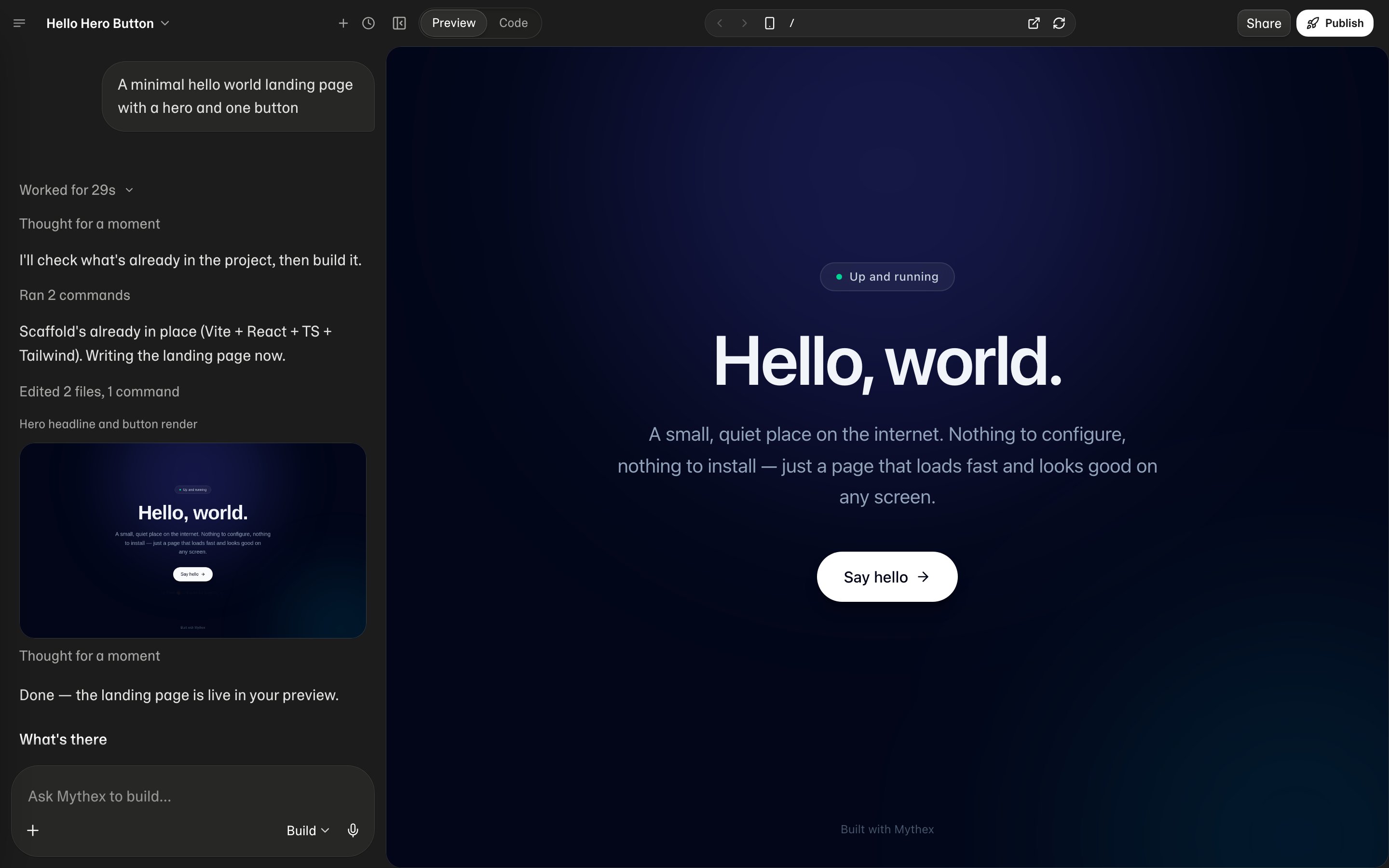
What happens next
- The agent starts implementing your request inside the sandbox.
- Events stream in the chat (text, tool calls, progress).
- The live preview updates as the app becomes runnable.
- You can switch to Code for the file tree, Monaco editor, and terminal.
Chat to iterate
Treat the first result as a draft. Follow up with concrete asks:- “Make the hero darker and add a pricing section”
- “Add a /settings page with a profile form”
- “Store signups in the project database”