

Preview and Code
The right side of the workspace toggles between Preview and Code.Preview
Preview shows your app running live.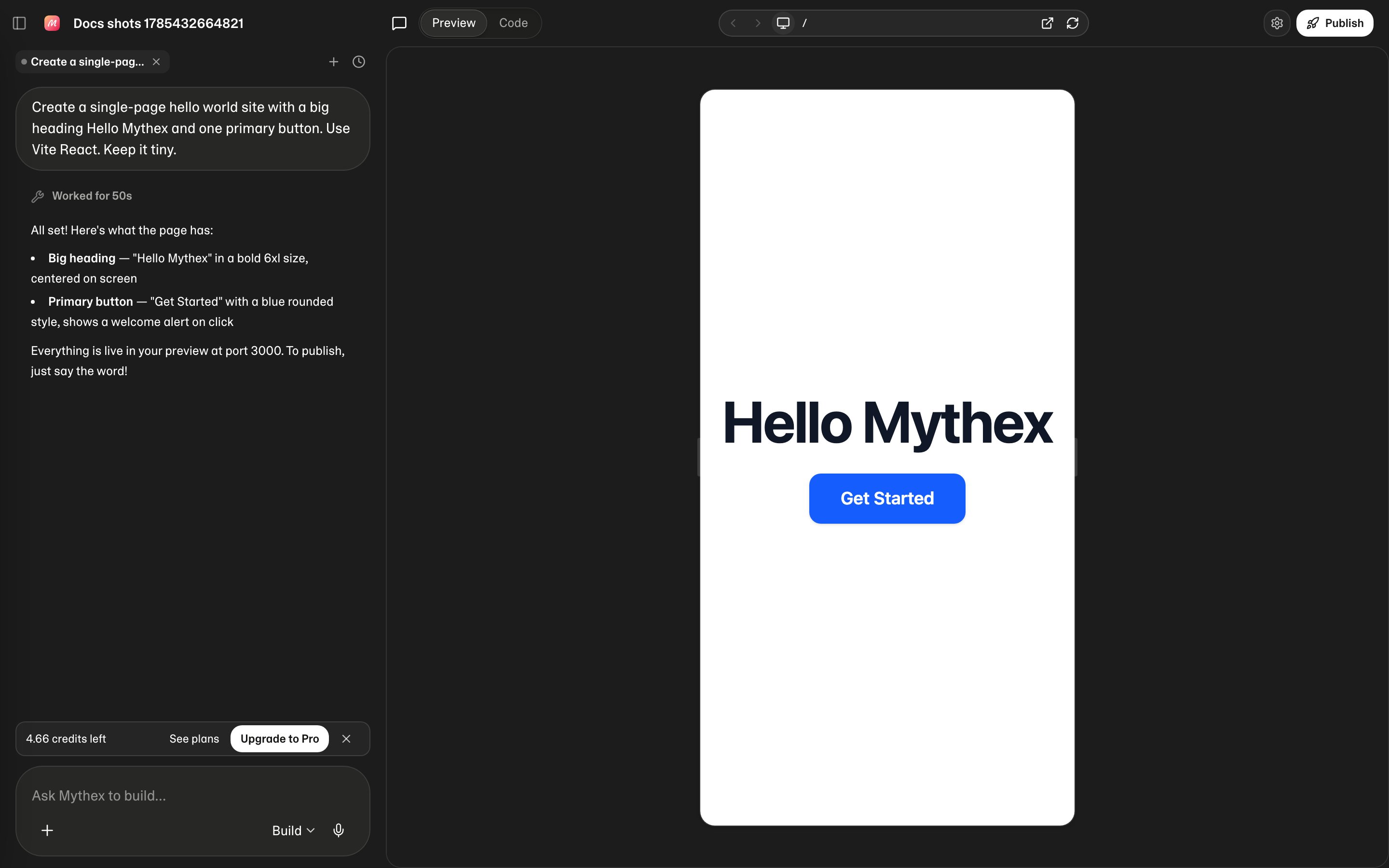
While it starts
Opening a project that has been idle wakes its sandbox, which takes a few seconds. The panel says where it has got to — provisioning the sandbox, then waiting for your app’s server — and rotates through things Mythex can do while you wait.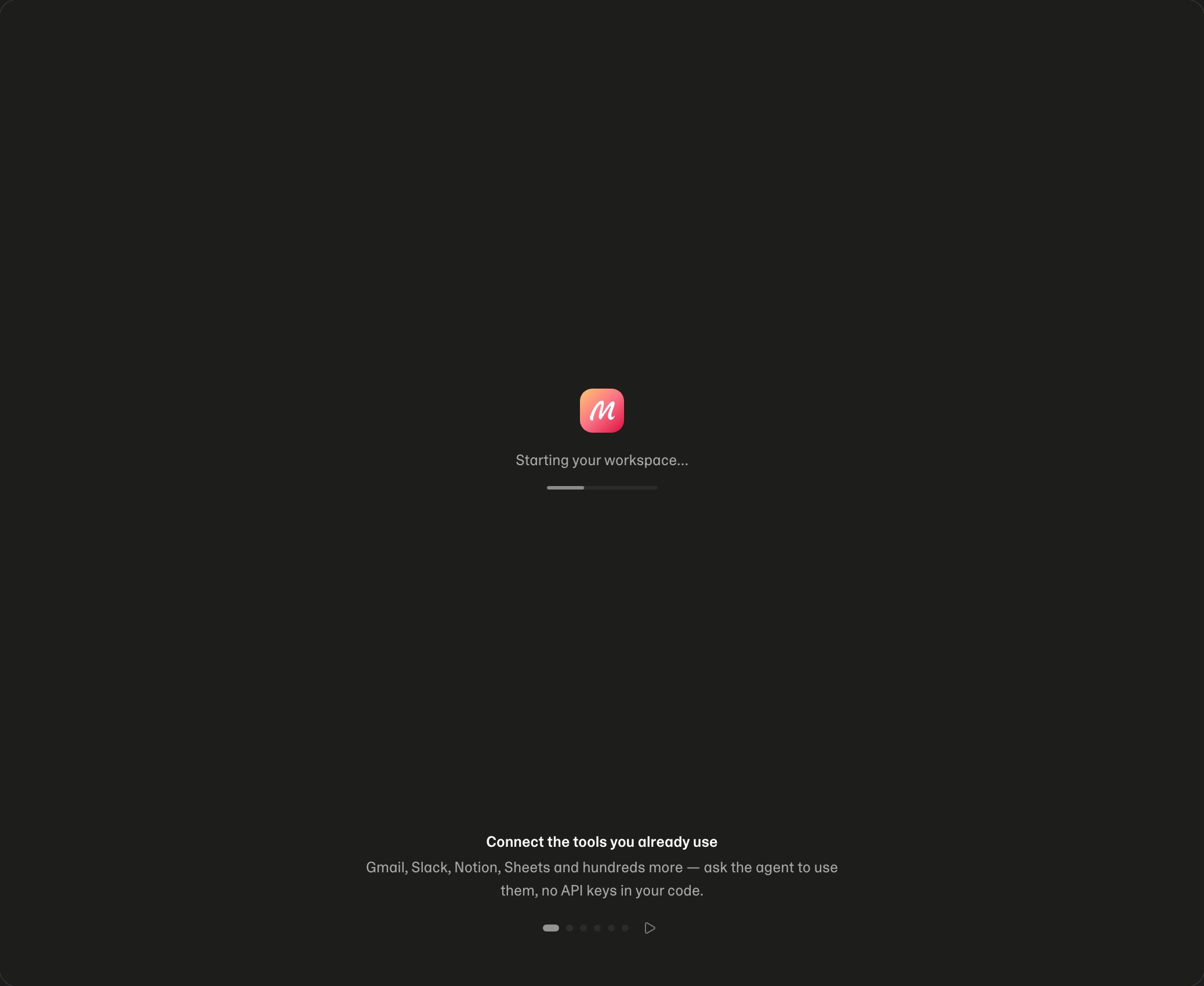
- Click through the real flows
- Check layout on desktop and a phone-size frame
- Validate forms and navigation
- Spot issues before you publish
Preview controls (desktop)
On a laptop, the bar above Preview holds:
On a tablet, or a narrow window, the bar keeps the same controls and gives them less room: Preview and Code become an eye and a
</> icon, Share, Upgrade and Publish become round icons, and Back / Forward step out first when the address bar is short.
Select an element or draw on the page
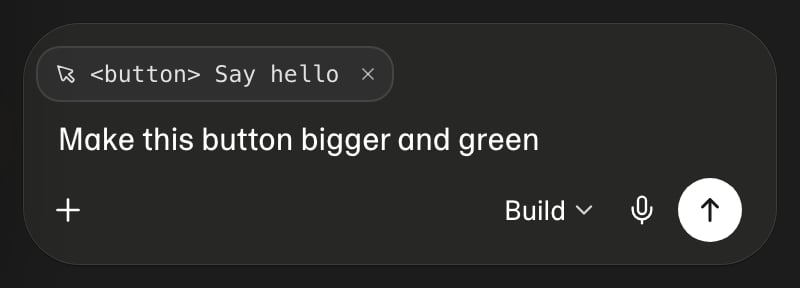
Words like “the button”, “that heading” or “the second card” can mean several things. Show Mythex instead: click the arrow pointer just after the address bar. A toolbar opens under the page, which moves up a little so the toolbar covers none of it.Point at an element
With the pointer tool on, move over your app: each element is outlined, with its size and what it is (its name, role, and whether it can be reached with the keyboard). The page still scrolls, so you can reach anything on it.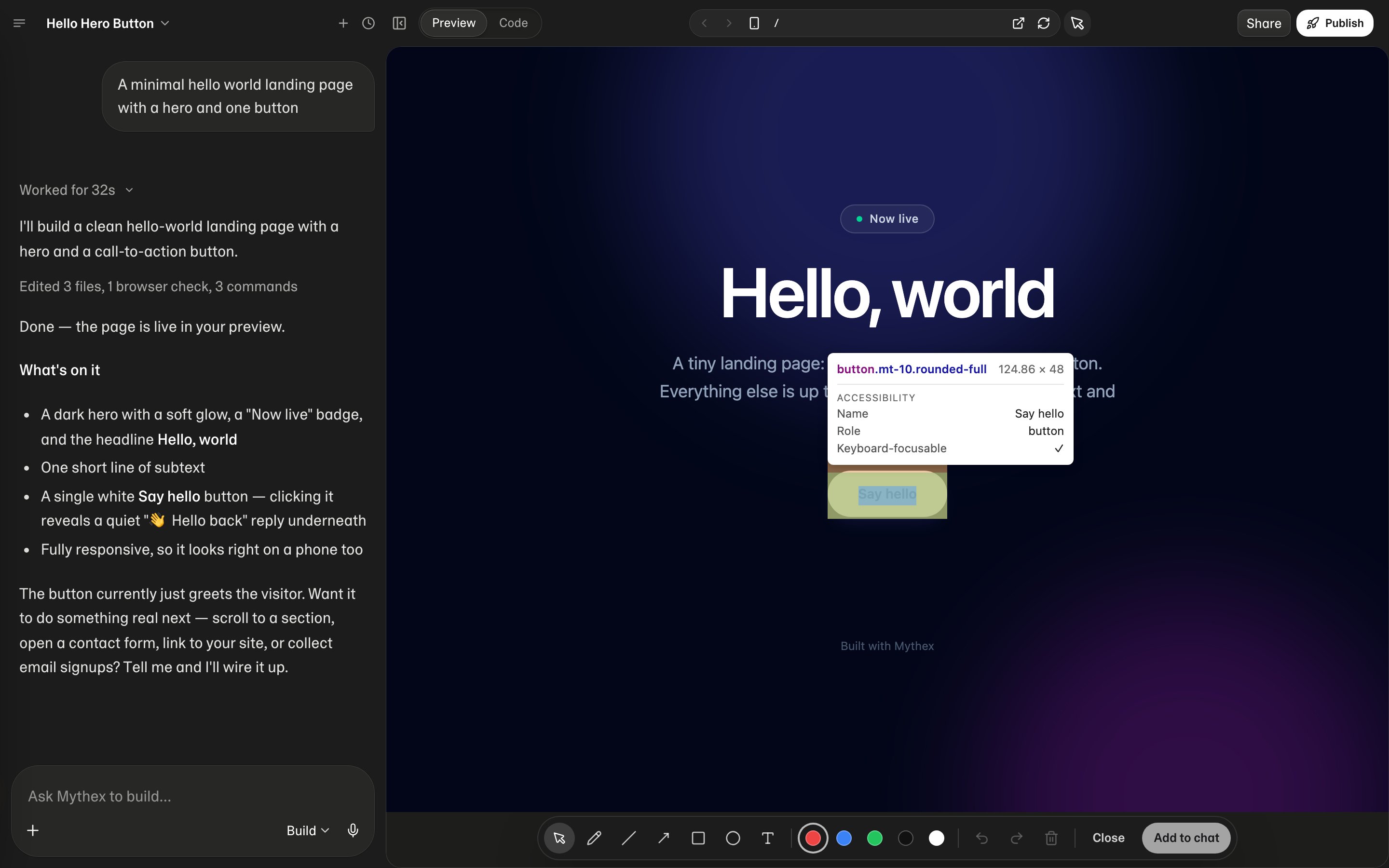
Draw on the page
Choose a drawing tool — Pen, Line, Arrow, Rectangle, Ellipse or Text — and a colour. The page holds still as a picture, and you mark it up: circle what is wrong, point at where something should go, write a note.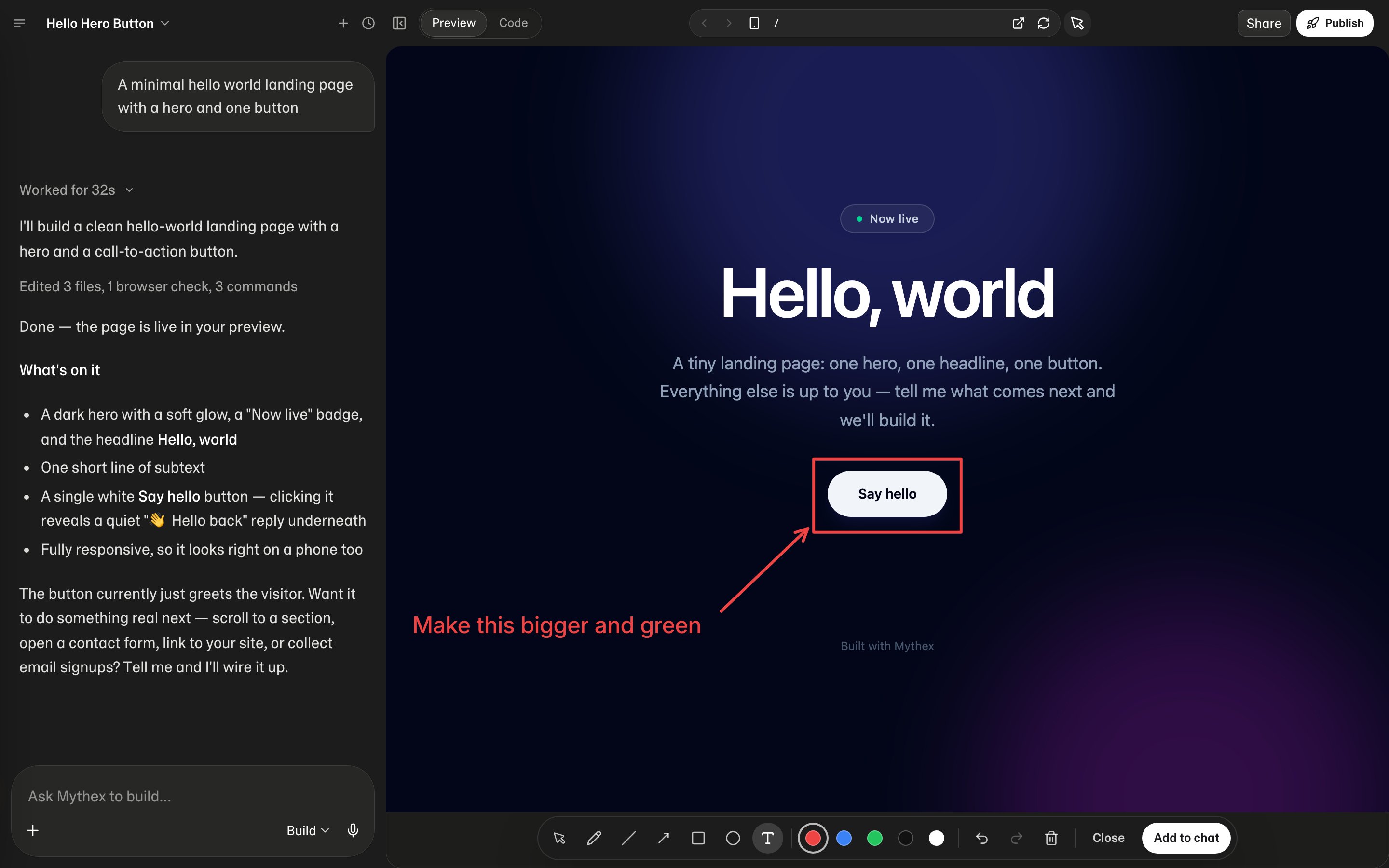
- Move a mark by dragging it; resize it from its corner handles. Text keeps its shape as it grows
- Edit a note by double-clicking it
- Undo / Redo (⌘Z / ⇧⌘Z, or Ctrl on Windows) and Delete the selected mark
- Add to chat attaches the marked-up picture to your message and closes the toolbar
Selecting elements needs your app to be running in Preview. If it is not available for a page, a note says so, and you can still draw on it.
Phone-size frame
Click the phone icon (Switch to Mobile). Drag the left or right edge of the frame to change width. Drag almost to the panel’s full width, then release, to leave mobile view (same as Switch to Desktop). This frame is for responsive web layout. To put the app on phones as a real app, see Mobile apps.Resize chat vs Preview
Drag the vertical divider between chat and Preview. Drag past an edge to close a pane. Show preview (panel icon) restores Preview if you closed it; the panel icon restores chat.Using Mythex on a phone
Opening the builder on a phone is different from the phone-size preview of your app.- One pane at a time: the chat, or your app. Swipe between them, or tap › at the top right of the chat to go to the preview and ‹ Chat to come back
- Chat header: the menu button (opens the drawer), then the project name — tap it for Credits, New chat, Chat history, Share and Publish, View code, Refresh app and Open in new tab (once the app exists), Settings, Knowledge, Secrets, GitHub and Export — plus Upgrade to Pro on Free
- Preview header: ‹ Chat, ⋯ (Refresh, Select & annotate, Share, View code, open the preview in a new tab, copy its link) and Publish
- Preview is already full-width. There is no phone-icon toggle, service picker, address bar, back/forward, or split-drag
- To check how the app looks at phone size, use a laptop and Switch to Mobile
While Preview is starting
You may see Starting your workspace…, Starting your app…, or Getting your app ready…. That is normal while the sandbox wakes.- Preview needs credits — upgrade, buy credits (Pro), or wait for the daily grant. See Credits
- Couldn’t start the workspace — refresh and retry, or contact Support with the project ID
Preview URLs
While building, previews are served through Mythex routing (for example project hostnames on*.mythex.ai in production). Local and staging environments may differ.
Share a preview link
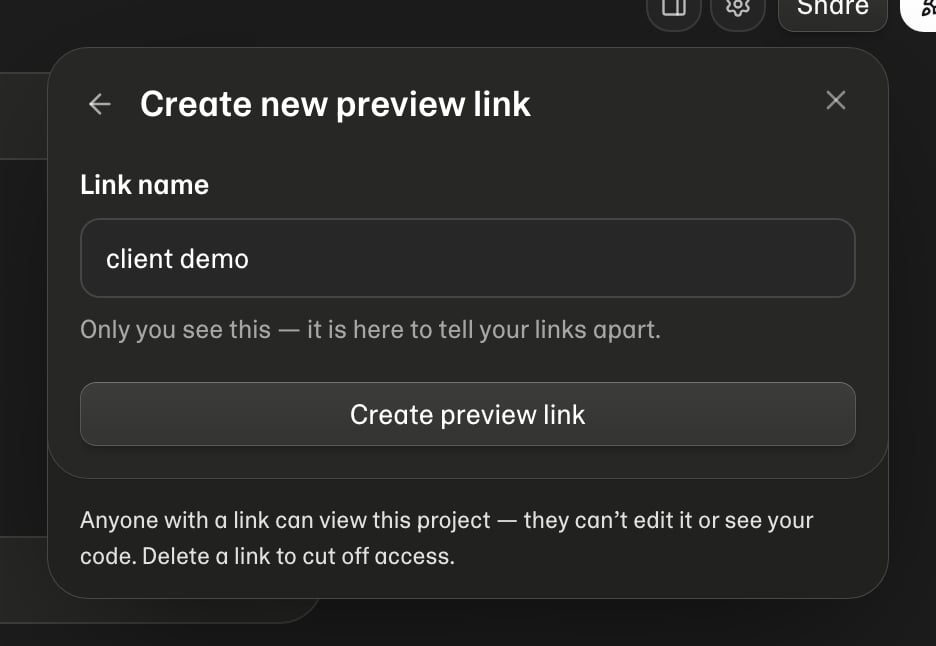
Share (next to Publish) creates a link that opens this project’s live preview for someone who has no Mythex account. Use it to show work in progress — a client, a teammate, a group chat — without publishing an app that isn’t finished.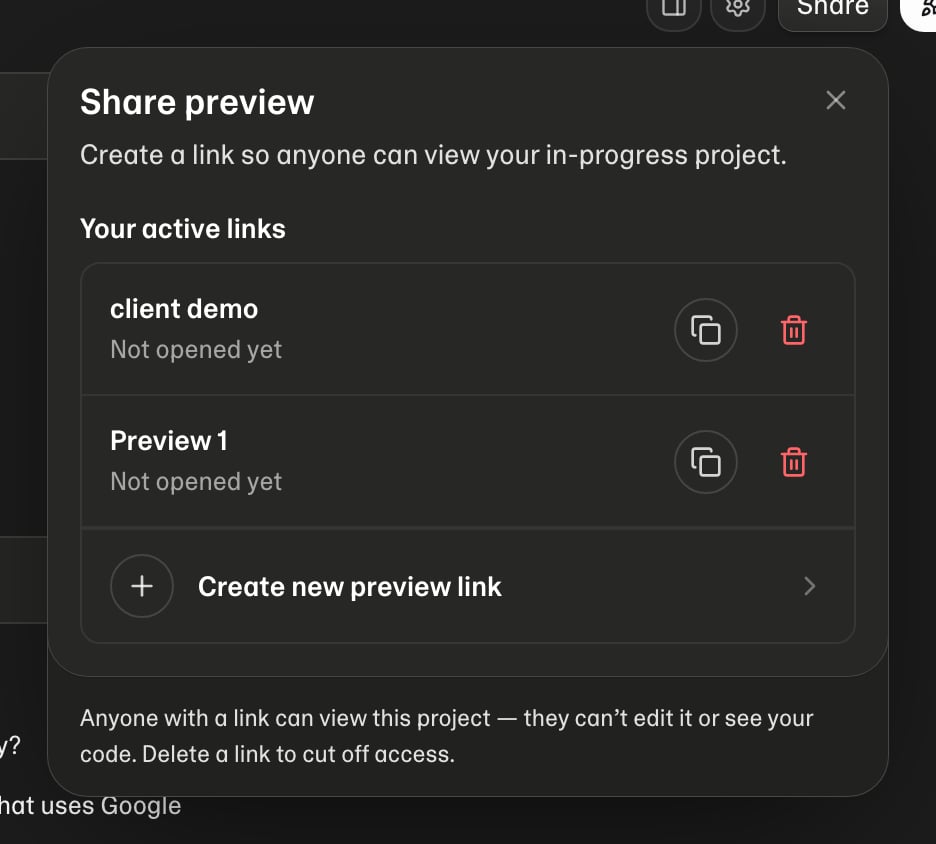
- Create new preview link — opens a second step where you name the link; the new link is copied to your clipboard as soon as it is made
- Copy — copy a link again later
- Delete (bin icon) — the link stops working within seconds, everywhere
What someone with the link can do
They see your app exactly as Preview does, and nothing else: no chat, no code, no terminal, no project settings, and no way to edit anything. Each link opens one project — it is useless against any other.What they see when it is not ready
Opening a link wakes the project, and the first open can take up to a minute — the machine resumes and your app’s server starts from cold. They get a “Starting the preview” page that reloads itself until the app answers, so there is nothing for them to do but wait. If you are demoing live, open the link yourself a minute beforehand. Once you delete a link, anyone holding it sees a plain “This preview is private” page saying the link may have been revoked. It never shows your code, your project name, or a sign-in prompt aimed at them.The link follows the live sandbox, so whoever holds it sees your app as it is right now,
including changes mid-build. Waking the project runs on your plan’s credits and sandbox
limits, exactly as opening the project yourself does — so a link you have forgotten about
can still spend credits if someone keeps opening it. Delete links you are done with.
Code
Code mode is there when you want control:- File tree — browse project files
- Editor — read and edit source
- Terminal — interactive shell in your private workspace
Tips
- Prefer asking Mythex for structural changes; use the editor for small tweaks
- Watch the terminal after dependency installs
- Use Revert to this point on a chat checkpoint to recover from a bad turn (see Chat)